
-
×
 WooCommerce Deposits 2.3.0
1 × $4.49
WooCommerce Deposits 2.3.0
1 × $4.49 -
×
WordPress SEO Premium 23.1
1 × $4.49
-
×
LearnDash Content Cloner 1.3.2
1 × $4.49
-
×
LearnDash LMS PaidMembershipsPro Integration 1.3.5
1 × $4.49
-
×
LearnDash LMS WordPress Plugin 4.15.2
1 × $4.49
-
×
Woocommerce Multilingual 5.3.6
1 × $4.49
-
×
LearnDash LMS Event Espresso Integration 1.1.0
1 × $4.49
-
×
LearnDash LMS Stripe Integration 1.9.3
1 × $4.49
-
×
LearnDash LMS Gravity Forms Integration 2.1.3
1 × $4.49
-
×
LearnDash LMS BuddyPress 1.2.9
1 × $4.49
-
×
LearnDash LMS iThemes Exchange Integration 1.1.0
1 × $4.49
-
×
WooCommerce Storefront Powerpack 1.6.3
1 × $4.49
-
×
 Arena Presentation
1 × $2.60
Arena Presentation
1 × $2.60 -
×
Advanced Custom Fields Gallery Field Addon 1.1.1
1 × $4.49
-
×
LearnDash LMS 2Checkout Integration 1.1.1.1
1 × $4.49
-
×
LearnDash LMS WooCommerce Integration Addon 2.0.0.1
1 × $4.49
-
×
LearnDash LMS SamCart Integration 1.1.0
1 × $4.49
-
×
LearnDash LMS Course Grid Addon 2.0.9
1 × $4.49
-
×
LearnDash LMS MemberPress Integration 2.2.2
1 × $4.49
-
×
Annual Report Presentation
1 × $2.60
-
×
WooCommerce Dynamic Pricing 3.2.8
1 × $4.49
 WooCommerce Deposits 2.3.0
  WordPress SEO Premium 23.1
  LearnDash Content Cloner 1.3.2
  LearnDash LMS PaidMembershipsPro Integration 1.3.5
  LearnDash LMS WordPress Plugin 4.15.2
  Woocommerce Multilingual 5.3.6
  LearnDash LMS Event Espresso Integration 1.1.0
  LearnDash LMS Stripe Integration 1.9.3
  LearnDash LMS Gravity Forms Integration 2.1.3
  LearnDash LMS BuddyPress 1.2.9
  LearnDash LMS iThemes Exchange Integration 1.1.0
  WooCommerce Storefront Powerpack 1.6.3
  Arena Presentation
  Advanced Custom Fields Gallery Field Addon 1.1.1
  LearnDash LMS 2Checkout Integration 1.1.1.1
  LearnDash LMS WooCommerce Integration Addon 2.0.0.1
  LearnDash LMS SamCart Integration 1.1.0
  LearnDash LMS Course Grid Addon 2.0.9
  LearnDash LMS MemberPress Integration 2.2.2
  Annual Report Presentation
 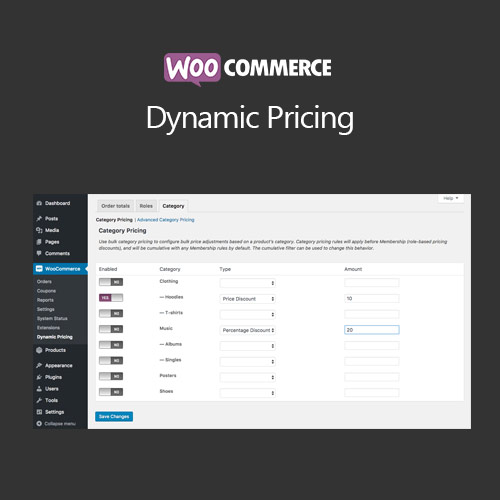 WooCommerce Dynamic Pricing 3.2.8
 Subtotal: $90.51








Reviews
There are no reviews yet.